Design Timber Brackets and Hold-Downs to Eurocode 5
Specify proprietary timber brackets, hold-downs and shear plates in Europe to Eurocode 5 using real, certified product data from suppliers including Rothoblaas, Pitzl, Eurotec and Sihga, with characteristic strength values pulled directly from each ETA. Compare products side by side, see the load path visualised, and check fastener patterns without cross-referencing separate manufacturer documents. Try the calculator to specify the right connector for your next node.
Start Designing for Free See Integrated Suppliers- Standard: EN 1995-1-1:2004 (Eurocode 5), applied to supplier ETA data

Partners
Integrated Suppliers
Every product below has live certified data wired into the calculators above — pick it from inside the tool.




About Bracket · Eurocode 5
A Unified Library for Proprietary Connectors
In modern timber engineering, standard bolts often aren’t enough. Engineers rely on high-performance proprietary connectors—Hold-Downs for uplift, Angle Brackets for shear, and specialized plates for tension. However, navigating dozens of different European Technical Assessments (ETAs) and manufacturer catalogs is time-consuming and prone to error.
The SPEC Toolbox Brackets Module centralizes this data into one powerful verification engine. Whether you are anchoring a CLT wall or connecting a glulam column, this tool allows you to select, compare, and verify products from leading European suppliers like Rothoblaas, Pitzl, Eurotec, and Sihga in a single interface.
The engineer's guide
Bracket · Eurocode 5
- Designing Brackets On SPEC Toolbox
- Overview of Structural Bracket Connections
- Interactive 2D and 3D Connector Views
- Supplier and Bracket Selection
- Supplier-Defined Fastener Patterns
- Timber Member Properties
- Applied Forces on the Bracket
- Eurocode-Based Connection Verification
- Timber-Side Connection Capacity
Designing Brackets On SPEC Toolbox
This tool combines the rigour of EN 1995-1-1 with the specific performance data of supplier ETAs. It includes:
- Capacity Verification (Rd): Automatically pulls characteristic strength values (Rk) from the relevant ETA and applies Eurocode 5 safety factors.
- Dynamic Visualization: A built-in 2D visual engine displays your set geometry with real-time force directions and intensities, ensuring you understand exactly how the connector is loaded.
- Smart Filtering: Filter the library by load type (e.g., « High Uplift ») to find the optimal product for your specific node.
- Nailing Patterns: Verifies the required fastener quantities (Anker nails / screws) for both the timber and the support, preventing common specification errors.
- Mixed Substrates: Supports Timber-to-Timber and Timber-to-Concrete connections.
Overview of Structural Bracket Connections
Steel brackets are widely used in timber construction to transfer forces between structural members such as beams, columns, and supporting elements. These connectors provide reliable load transfer while simplifying installation and improving structural robustness.
SPEC Toolbox includes a dedicated Bracket Design module that allows engineers to evaluate the performance of timber connections using manufacturer-defined steel brackets. The calculator integrates real bracket geometries and fastening patterns from leading connector manufacturers, including Pitzl, Eurotec, Rothoblaas, Sihga, and Simpson Strong-Tie. Each connector is evaluated using supplier-defined geometry, hole layouts, and recommended fastener patterns.
For the European region, the calculator supports EN 1995-1-1:2004 (Eurocode 5), which defines the design rules for timber connections, including fastener resistance, spacing requirements, and timber failure verification.
Interactive 2D and 3D Connector Views
To support intuitive connection configuration, the calculator provides interactive visualizations of the selected bracket geometry. Users can switch between: 3D Imagery (realistic representation of the selected bracket), 2D View (simplified representation showing dimensions and load directions), 3D Model View (interactive model that can be rotated and inspected).
Supplier and Bracket Selection
Users can define: Connector supplier, Bracket category, Bracket type. Supported bracket categories: Angle brackets, Shear plates, Tension straps, Hold-down connectors. Each bracket type includes predefined geometry and hole layouts according to manufacturer specifications.
Supplier-Defined Fastener Patterns
The calculator automatically applies supplier-defined fastener patterns, ensuring the connection configuration matches the manufacturer’s tested design. Patterns include: fastener diameter and type, number of fasteners, fastener spacing, fastener positioning relative to the bracket geometry.
Timber Member Properties
Engineers define characteristic timber density (ρk), used to determine embedment strength of the timber and resistance of fasteners installed in the member.
Applied Forces on the Bracket
The calculator allows engineers to apply all force components that the selected connector is designed to transfer, depending on bracket type and manufacturer-defined configuration: Tension forces, Shear forces, Lateral forces, Uplift forces, Multi-directional load components. Available load inputs automatically adapt to the selected bracket configuration. Applied forces are visualized in the connector model.
Eurocode-Based Connection Verification
Bracket connections are evaluated according to EN 1995-1-1 (Eurocode 5). Design procedure considers: timber embedment strength, fastener resistance in timber, load direction relative to the grain, service class conditions, load duration factors, material safety factors. Engineers can define: service class, load duration, material safety factors, pre-drilling conditions.
Timber-Side Connection Capacity
Verification focuses on the timber side of the connection, evaluating interaction between the timber member and installed fasteners.
- Hold-down Design: evaluated based on fastener resistance and timber embedment strength — verifies safe transfer of uplift or tension forces into the timber member.
- Combined Force Check: evaluates interaction between multiple simultaneous forces, verifying combined loading doesn’t exceed capacity of the timber-fastener system.
- Hold-down Stiffness: provides connection stiffness value, representing deformation behavior under load — usable in structural modelling or global structural analysis.
Bracket · Eurocode 5
Can I compare different suppliers?
Does it check the concrete anchor?
Are new products added automatically?
What’s News
Dive into our newest releases, articles, and tutorials designed to help you succeed.

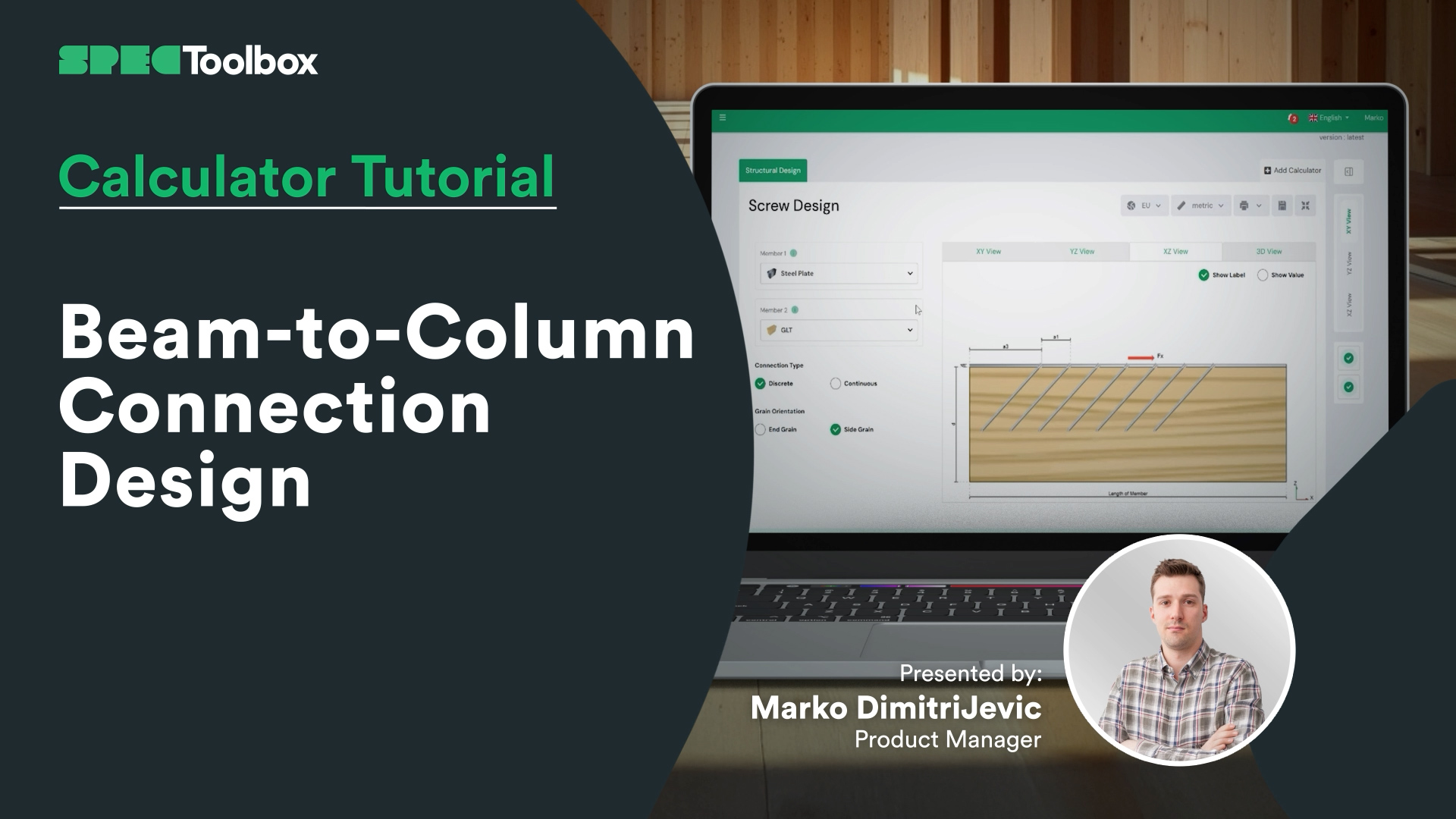
Beam-to-Column Connection Design
Gratuit, basé sur navigateur, sans téléchargement. Concevez n’importe quelle connexion certifiée dans vos matériaux réels en quelques secondes.
Commencez à concevoir gratuitement →Mettez vos produits à la disposition de chaque ingénieur spécifiant sur la plateforme — au moment de la conception.
Faites spécifier vos produits →